Docker
Manage Docker containers and images on a remote server with HeadlessOS. View logs, open a shell and edit files inside a container, all over SSH.
The Docker app runs the docker command on your server over SSH and shows the results. You don’t need Docker Desktop or an agent on the server.
What you need on the server
Section titled “What you need on the server”You need Docker Engine and an SSH user that can run docker without sudo. That means root, or a member of the docker group:
sudo usermod -aG docker piDisconnect and connect again so the change takes effect.
If Docker isn’t installed, the app shows Docker is not installed with an Install Docker button. Click it, then click Start Installation to run the official script from get.docker.com in a terminal. This needs sudo on the server, and you may be asked for your password there.
Manage containers
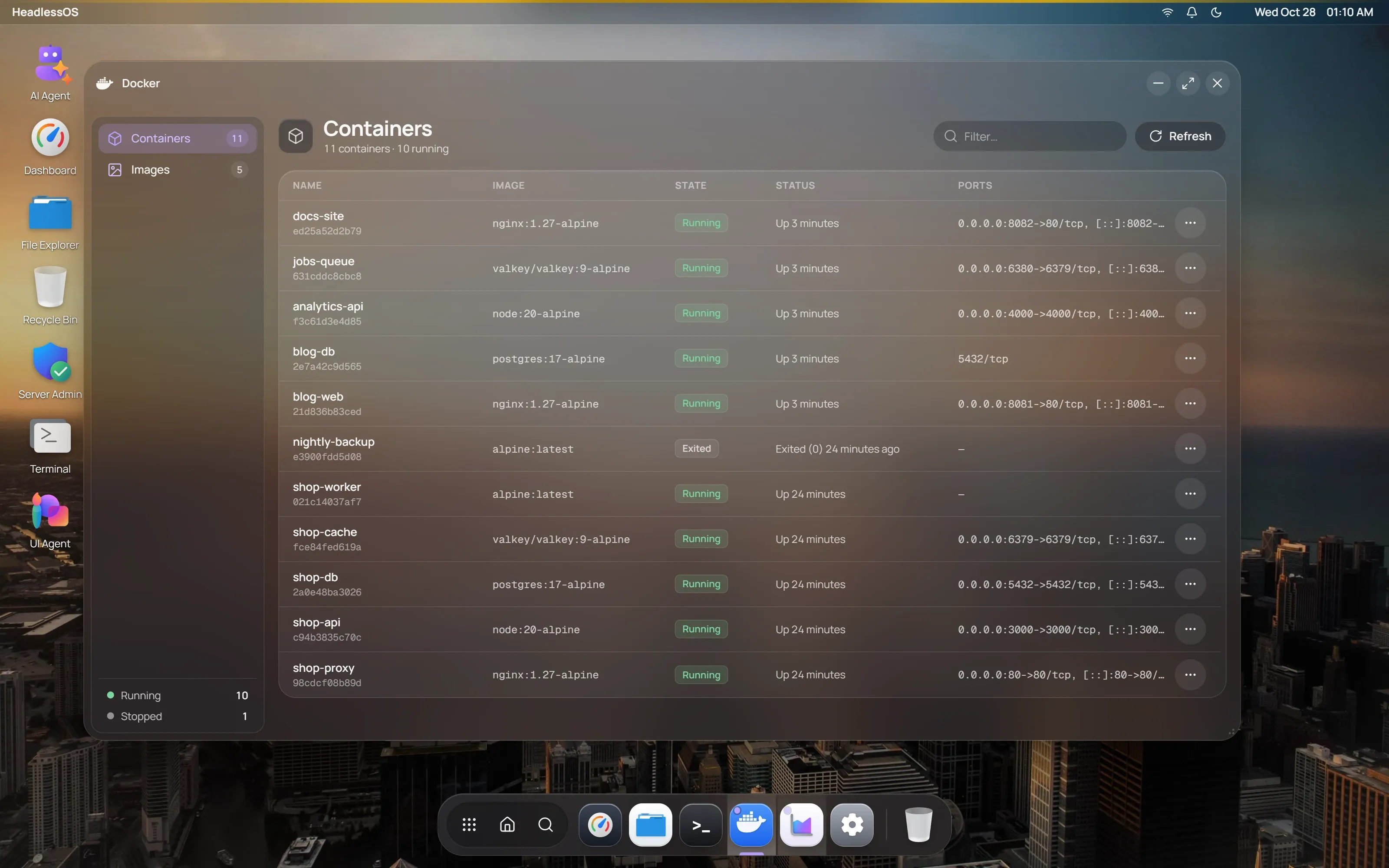
Section titled “Manage containers”Containers lists each container’s name, image, state, status and ports. Use Filter… to narrow the list. It refreshes with your Auto-Refresh Interval, at most every 5 seconds.
Right-click a row, or click its … button:
| Container state | Actions |
|---|---|
| Running | Stop, Restart, Pause, View Logs, Open Files, Open Shell, Force Remove |
| Paused | Unpause, View Logs, Remove |
| Exited or dead | Start, View Logs, Remove |
View Logs opens a panel with the last 500 lines, updated every 3 seconds.
Open a shell in a container
Section titled “Open a shell in a container”Choose Open Shell on a running container. A window opens with bash if the container has it, otherwise sh. Type exit to end the session.
Browse files inside a container
Section titled “Browse files inside a container”Choose Open Files on a running container. Double-click a folder to open it, or use Up and the path bar.
This works through docker exec, so the container needs commands such as ls and base64. Very small images may not have them.
Edit a file inside a Docker container
Section titled “Edit a file inside a Docker container”Double-click a file, or right-click it and choose Edit. Press Ctrl+S or click Save. Files up to 2 MB open in the editor. Saving is limited to about 1 MB.
Upload, download and delete container files
Section titled “Upload, download and delete container files”- Upload sends one file to the current folder, up to about 750 KB.
- New File and New Folder create items in the current folder.
- Right-click an item for Download, Rename and Delete.
Delete is permanent. Containers have no Recycle Bin.
Manage images
Section titled “Manage images”Images lists each image’s repository, tag, ID, size and creation date. Right-click a row for Run Image, Remove Image and Force Remove. To add an image, run docker pull in Terminal.
Run Image creates and starts a new container. Every field is optional:
| Field | Example |
|---|---|
| Container Name | my-container |
| Port Mappings | 8080:80, 3306:3306 |
| Environment Variables | KEY=value, FOO=bar |
| Volume Mounts | /host/path:/container/path |
| Command Override | Replaces the image’s default command |