Introduction
HeadlessOS is a free, open-source app that shows your Linux servers as a desktop over SSH, with nothing installed on the server.
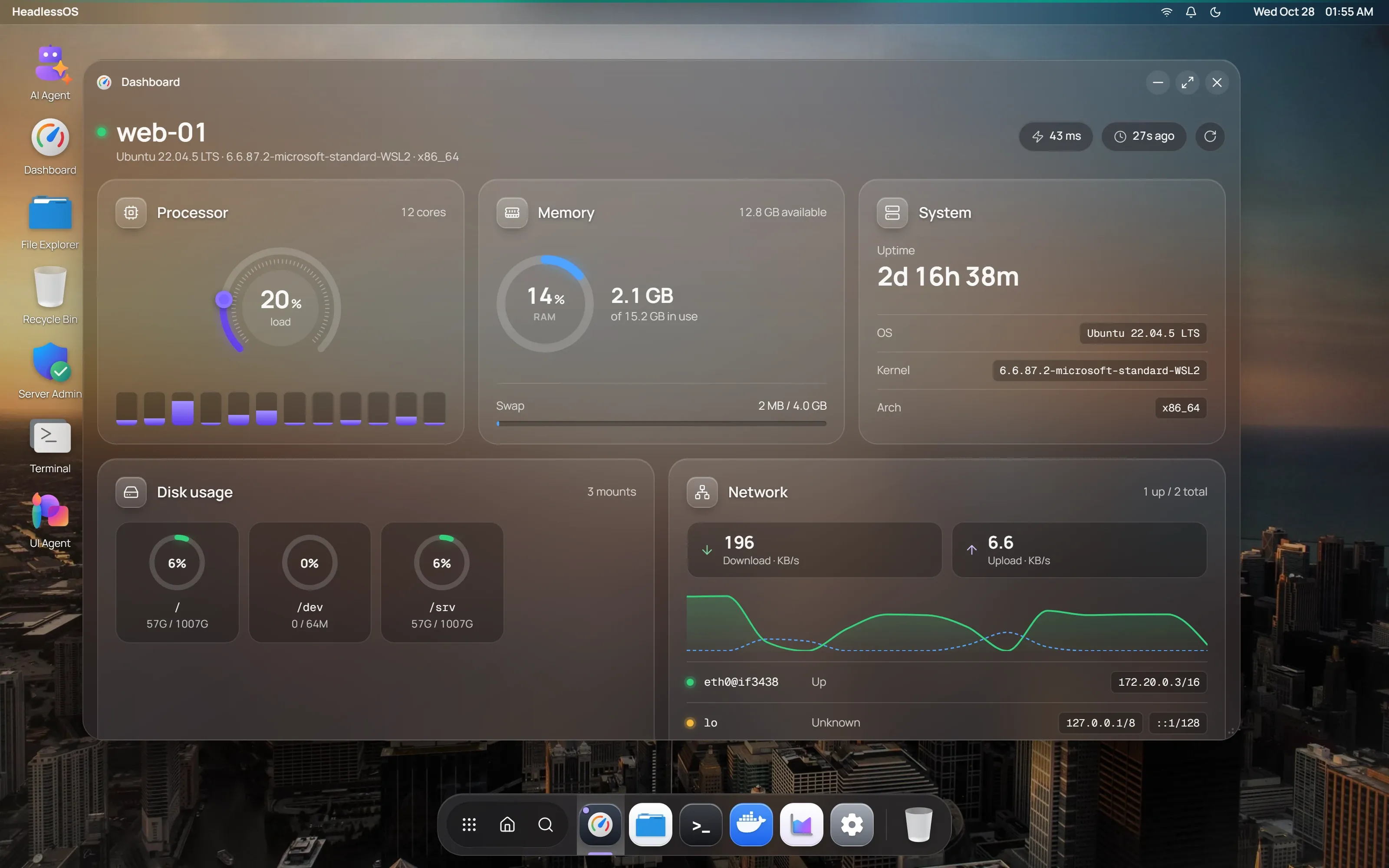
HeadlessOS is a free, open-source app that runs on your own computer. It connects to your Linux servers over SSH and shows each one as a desktop, with windows, a dock and apps. Nothing is installed on the server.
It’s for people with a VPS, cloud servers or a home lab who know SSH and want a visual way to check on a server and manage it. A real terminal is always one click away.
What you can do
Section titled “What you can do”| App | What it’s for |
|---|---|
| Dashboard | See CPU, memory, disk and network at a glance |
| File Explorer | Browse, edit and manage files on the server |
| Terminal | Use an interactive SSH terminal |
| Docker | Manage containers and images |
| Services | Manage systemd services |
| Task Manager | View and manage running processes |
| Server Admin | Handle network, firewall, security, packages, cron, logs and storage |
Each server is its own session, so you can keep several open and switch between them. See Sessions and Fleet.
How it works
Section titled “How it works”Your computer Your server+----------------------------------------+ +---------------+| App window <--> Local backend | SSH | Just sshd, || (127.0.0.1 only) | ----> | unchanged |+----------------------------------------+ +---------------+The backend is the part of the app that holds your SSH connections. It runs on your computer and listens only on 127.0.0.1, so other machines can’t reach it.
- You add a server with its address, username and a password or SSH key.
- The backend connects over SSH.
- It runs ordinary commands such as
df -handdocker ps, and reads files over SFTP. - A built-in parser turns the text output into structured data. If no parser fits and you’ve chosen an AI provider, a model reads the output instead.
- The app shows the result in its windows.
Read more in Architecture and How parsing works.
Why nothing runs on the server
Section titled “Why nothing runs on the server”Many server panels ask you to install an agent or a web service on every server. That’s one more thing to update and secure on each machine, and it takes memory on a small VPS.
HeadlessOS uses the SSH access you already have. There is no agent, no daemon and no port to open. To your server, it looks like a normal SSH session.
Some apps can change the server when you ask them to, such as installing Docker or a package. The FAQ lists these.
AI is optional
Section titled “AI is optional”With no AI provider chosen, HeadlessOS uses only its built-in parsers. The AI Agent and UI Agent need a provider: OpenAI, Claude or a local model through Ollama. You choose one in Settings → AI / LLM.
Agents don’t write shell commands. They pick typed actions from a fixed list, and anything that changes a server waits for your approval. See Safety and approvals.
Project status
Section titled “Project status”This page covers version 0.2.1, which Settings → About labels Alpha. Expect rough edges, try it on a test server first, and report what you find.
Next steps
Section titled “Next steps”- Quick Start: download the app and connect your first server.
- Connect a server: passwords, SSH keys and what a server needs.
- Security model: what stays on your computer and what reaches the server.
- GitHub repository: the source code, under the MIT licence.