Terminal
Open an SSH shell on your Linux server in HeadlessOS. Run vim, htop and tmux, and change the terminal's font, cursor and scrollback.
Terminal opens a real shell on your server over SSH. It needs no extra tools on the server. Colours, cursor movement and full-screen programs such as vim, htop and tmux work as they do in any SSH client.
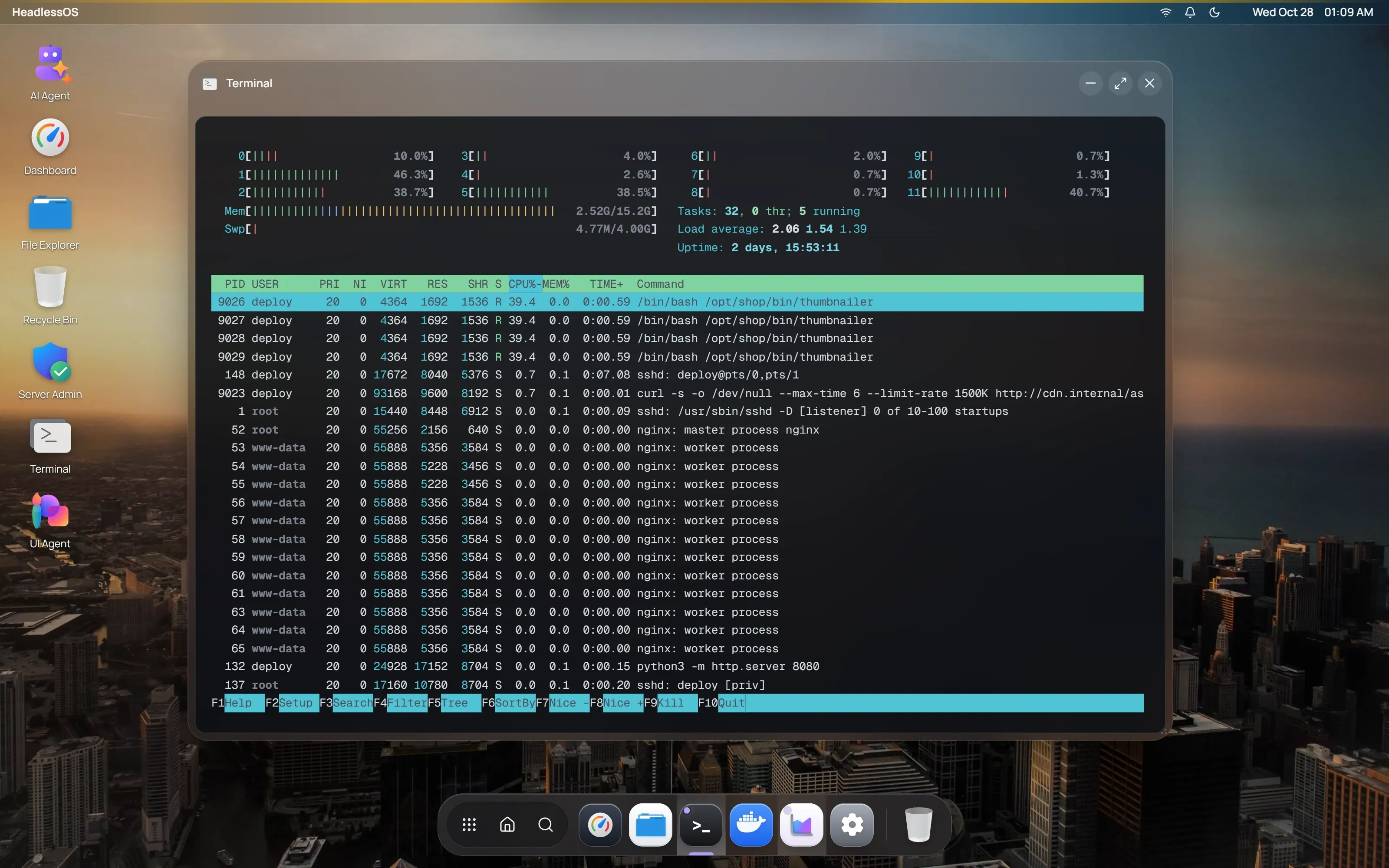
Click Terminal in the dock, double-click its desktop icon, or use the launcher. Each server has one Terminal window. Opening the app again brings that window forward. When you resize the window, the shell resizes with it.
Copy and paste in the terminal
Section titled “Copy and paste in the terminal”Right-click in the terminal for Copy, Paste, Select All and Clear.
To copy text as soon as you select it, turn on Copy on Select in Settings.
Ctrl+C goes to the shell, so it stops the running program. Desktop shortcuts such as Ctrl+D are ignored while the terminal has focus, so they reach your shell too.
Change the font, cursor and scrollback
Section titled “Change the font, cursor and scrollback”Open Settings and go to Terminal. Changes apply to open terminals straight away.
| Setting | Options |
|---|---|
| Font Size | 10 to 24 |
| Font Family | Geist Mono, JetBrains Mono, Fira Code, Source Code Pro, Cascadia Code, Menlo, Courier New |
| Cursor Style | Block, Underline, Bar |
| Scrollback Buffer | 1,000, 5,000 or 10,000 lines, or Unlimited |
| Copy on Select | On or off |
Keep a command running
Section titled “Keep a command running”To keep work running on the server, start it inside tmux:
tmux new -s work # start a named sessiontmux attach -t work # come back to it latertmux runs on the server. If it isn’t installed, you can add it from Server Admin under Packages.
Reconnect a terminal
Section titled “Reconnect a terminal”If the connection drops, a Disconnected or Connection error banner appears. Click Reconnect to start a new shell.
Open a shell inside a Docker container
Section titled “Open a shell inside a Docker container”In the Docker app, right-click a running container and choose Open Shell. It opens in its own terminal window.