Server Admin
Manage network, firewall, users, SSH, nginx, apt packages, cron jobs, logs and storage on a Linux server from one HeadlessOS app, over SSH.
Server Admin puts common admin jobs in one window, with eight sections in the sidebar. The app itself has no required tools, but some sections work with one specific tool. If that tool is missing, the section says so.
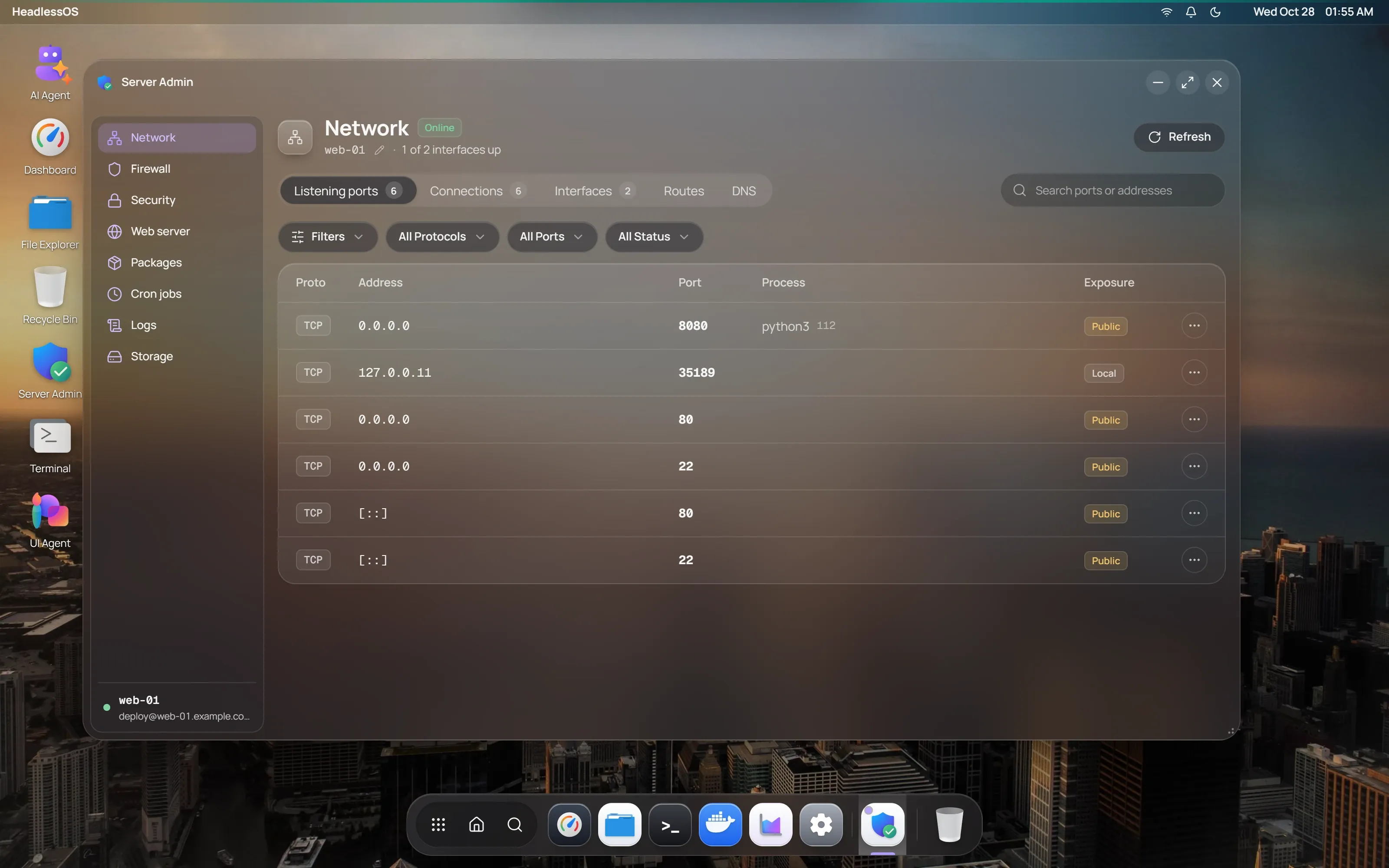
Check ports, connections and DNS
Section titled “Check ports, connections and DNS”Network has five tabs:
- Listening ports shows the address, port, process and exposure. Use the search box to filter.
- Connections lists active connections.
- Interfaces shows each interface. Disable or Enable turns it off or on. Disabling your main interface can disconnect you.
- Routes lists the routing table.
- DNS shows nameservers and search domains. Edit DNS rewrites
/etc/resolv.conf.
To change the hostname, click the pencil next to it.
Manage firewall rules with UFW
Section titled “Manage firewall rules with UFW”Firewall uses UFW, so the server needs ufw. Enable or Disable turns it on or off.
- Basic rule allows or denies a port.
- Advanced rule targets a source IP or range, with an optional port range and comment.
- App profiles allows or denies a predefined profile, such as “Nginx Full”.
Manage users and SSH access
Section titled “Manage users and SSH access”Security has five tabs:
- Active sessions: see who is logged in and kill a session.
- Users: Add user, Set Password, Add to Group and Delete User. Deleting also removes the home folder.
- SSH config: read the key SSH settings. You can’t edit them here.
- Login history: recent logins.
- Fail2ban: click a jail to see its counts, then ban or unban IP addresses. Reload Config reloads Fail2ban.
Manage nginx sites
Section titled “Manage nginx sites”Web server works with nginx. Test checks the configuration, and Reload and Restart act on nginx. Each site has Config to view its file, and Enable or Disable. The certificates list comes from certbot.
Update packages with apt
Section titled “Update packages with apt”Packages uses apt, so it works on Debian and Ubuntu.
- Update lists refreshes the package lists.
- Upgradable offers Upgrade for one package and Upgrade All.
- Search & install finds packages to install or remove.
Schedule cron jobs
Section titled “Schedule cron jobs”Cron jobs manages your user’s crontab. Click Add job, pick a Schedule Preset or type a cron expression, then enter the command. You can edit or delete jobs in User crontab. System crontab is read-only.
Search system logs
Section titled “Search system logs”Logs reads journalctl, dmesg or syslog. Choose a source and up to 1,000 lines, then search.
Advanced Filters narrows by unit, priority and date. The buttons at the top turn on auto-refresh every 5 seconds and auto-scroll. Export saves the logs as a text file.
Check storage and swap
Section titled “Check storage and swap”Storage is read-only:
- Mount points lists mounted filesystems.
- Directory sizes covers
/var/log,/tmp,/home,/var/lib/dockerand/var/cache. - Swap lists swap space.